
How to Choose an Anti-Detection Browser for Web Scraping and Data Collection
Learn how to choose an anti-detection browser for web scraping and data collection, with key features, selection criteria, workflows, and best practices for marketers, affiliates, and agencies.

If you’re researching How to Choose an Anti-Detection Browser for Web Scraping and Data Collection, you’re probably trying to solve a practical problem: how to gather data at scale without burning accounts, triggering blocks, or creating a messy workflow for your team. For marketers, affiliates, e-commerce operators, and agencies, the right browser can make the difference between a stable data pipeline and constant cleanup.
An anti-detection browser is more than a privacy tool. In real-world scraping and collection workflows, it helps isolate sessions, manage fingerprints, and reduce the chance that platforms connect your activity across profiles. That matters whether you’re monitoring competitors, tracking product availability, collecting ad intelligence, or running multiple client research projects at once.
But not every tool is built for the same job. Some are better for multi-account management, some for automation-heavy operations, and some for teams that need clean profile separation across devices and locations. Understanding those differences before you commit can save time, money, and a lot of failed sessions.
In this guide, we’ll break down the features that actually matter, the red flags to avoid, and how to evaluate a browser based on your workflow. We’ll also point out where GoUndetected.io fits naturally as a solid option for users who need reliable profile management and practical control over multi-account operations.
Introduction
Managing multiple accounts has become routine for marketers, e-commerce teams, affiliate operators, and agencies—but platforms are far better at linking identities than most users expect. This section explains how antidetect browsers work, why they matter for multi-account workflows, and the risks you need to control before scaling. The core idea is simple: if your sessions look too similar, or if your network and browser signals conflict, platforms can connect them even when the accounts themselves are separate.
That is why the best setups are built around consistency. A browser profile should behave like a real, stable environment from the moment it is created through every login, refresh, and repeat visit. When the workflow is clean, teams can reduce verification friction, keep research organized, and avoid wasting time on account recovery.
What it does
An antidetect browser creates separate browser profiles with distinct fingerprints, so each account appears to come from a different device environment. In practice, that means isolating cookies, storage, canvas data, WebGL signals, timezone, and other identifiers that platforms use to connect sessions.
For teams, this is less about “hiding” and more about keeping workstreams clean and consistent. A well-configured setup helps reduce accidental cross-contamination between profiles and supports repeatable account management at scale.
Why it matters
Most platforms do not rely on a single signal. They combine device, network, and behavior data to detect patterns, which makes manual switching between accounts risky. If one profile leaks into another, the result can be verification loops, throttling, or sudden account restrictions.
- Protects profile separation across campaigns and clients
- Reduces duplicate login and identity-linking issues
- Improves operational consistency for distributed teams
Main risks
The biggest mistake is assuming an antidetect browser alone solves account safety. If proxy quality is poor, fingerprints are inconsistent, or users repeat the same behavior across profiles, platforms can still flag the activity.
Teams should also watch for compliance and process risks. A browser can support separation, but it cannot fix policy violations, weak access control, or sloppy profile management. In practice, the safest teams treat the browser as one layer in a broader workflow that includes proxy hygiene, role-based access, and clear operating rules.
| Risk | What it can cause |
|---|---|
| Fingerprint overlap | Accounts may be linked or reviewed |
| Bad proxies | Suspicious logins and location mismatches |
| Human error | Cross-account contamination and lost time |
Core Features
Reliable multi-account operations depend on three pillars: a believable fingerprint, separated profiles, and clean proxy routing. GoUndetected.io combines these controls so each browser profile looks and behaves like a distinct real user, reducing overlap that can trigger platform checks. When evaluating any browser, the question is not whether it has these features in theory, but whether it keeps them stable under daily use.
That stability matters most when teams are moving quickly. A feature set that looks strong on paper can still fail if profiles are hard to organize, settings are difficult to reproduce, or the browser introduces inconsistencies after updates. Practical control is what turns a tool into an operational asset.
Fingerprints
Browser fingerprinting goes beyond IP address. Sites can read your OS, timezone, screen size, WebRTC signals, fonts, canvas data, and more to build a device profile. When these signals conflict, accounts become easier to link.
GoUndetected helps you standardize or randomize fingerprint elements per profile, so each session stays internally consistent. That matters most when you manage ads, marketplaces, or social accounts at scale, where repeated patterns can create risk fast.
Profiles
Profiles are the operational core of multi-account work. Each one should hold its own cookies, local storage, login state, and browser settings, so a session can be reused without contaminating other accounts.
- Separate account data by client, brand, or marketplace
- Save time with reusable sessions instead of constant re-logins
- Reduce cross-contamination from shared cache or extensions
Proxies
Proxies control the network identity behind each profile. Even a perfect fingerprint can be flagged if multiple accounts share the same IP range or location pattern. That is why proxy quality and assignment discipline matter.
Use the right proxy type for the job:
| Proxy type | Best for | Key note |
|---|---|---|
| Residential | High-trust accounts | Looks closest to a real home user |
| Datacenter | Speed and testing | Cheaper, but easier to detect |
| Mobile | Strict platforms | Often the strongest trust signal |
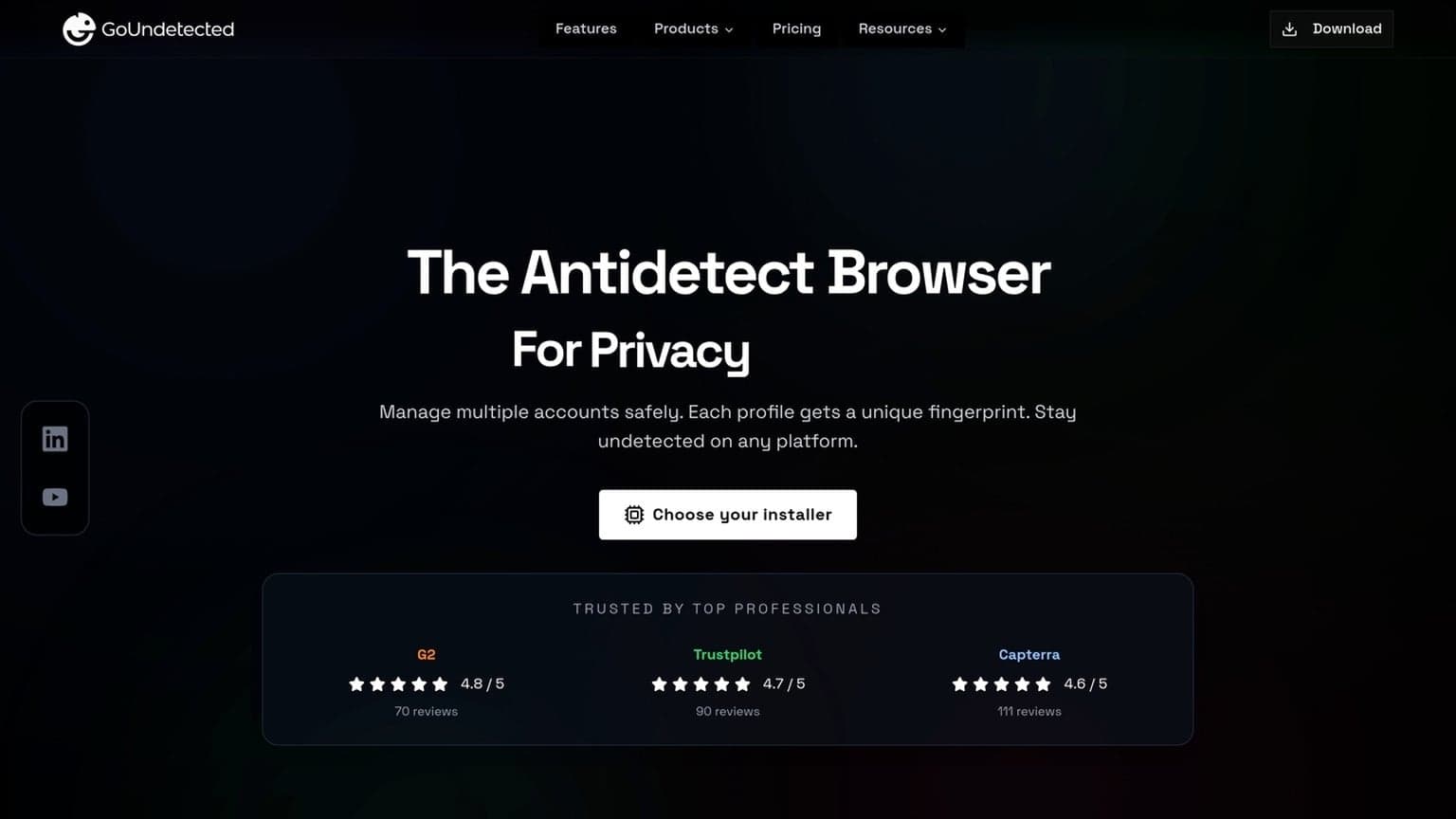
For best results, keep one proxy per profile and match the proxy region to the account’s expected geography. For a practical setup guide, see GoUndetected.io.
Selection Criteria
Choosing an antidetect browser comes down to how well it balances evasion, performance, and day-to-day reliability. For multi-account workflows, even a strong fingerprint is not enough if the browser is slow or prone to crashes. Use the criteria below to separate marketing claims from practical value. A good buying decision should reflect your actual workload: number of profiles, team size, target platforms, and how often sessions need to be reused.
It also helps to think in terms of operational cost. A browser that saves ten minutes per profile creation may be worth far more than a cheaper tool that creates constant troubleshooting overhead. The best choice is usually the one that reduces manual work while keeping the environment predictable.
Stealth level
Stealth is the first filter because it determines whether profiles look distinct enough to avoid easy correlation. Focus on browser fingerprint coverage, profile isolation, cookie handling, and support for proxy pairing. A strong antidetect browser should reduce repeatable signals without creating new anomalies.
Look for consistency across common detection vectors, not just one headline feature. If a tool cannot handle WebRTC, canvas, timezone, or font variation cleanly, it may expose patterns at scale.
- Unique, stable fingerprints per profile
- Reliable proxy binding and IP alignment
- Control over WebRTC, timezone, and locale
- Separate storage for cookies, cache, and sessions
Speed
Speed affects how quickly teams can create profiles, switch accounts, and complete repetitive tasks. A browser that launches fast but slows down under load can still hurt productivity, especially when you manage dozens of sessions at once.
Measure speed in real usage: profile startup time, tab responsiveness, and how well the browser handles multiple active sessions. Faster tools reduce friction, but they should not sacrifice fingerprint quality to do it.
| Metric | What to check |
|---|---|
| Startup | Time to open a fresh profile |
| Navigation | Page load and tab switching |
| Scale | Performance with many profiles open |
Stability
Stability is what keeps operations usable over time. Frequent freezes, profile corruption, or sync issues can interrupt logins and trigger extra verification steps. In multi-account work, reliability matters as much as stealth because downtime creates risk.
Prioritize browsers with clean session recovery, predictable updates, and responsive support. If you want a practical benchmark, test the tool under your real workflow for several days before rolling it out. That approach is usually more revealing than any feature list, especially if your team depends on repeatable access and uninterrupted session reuse.
Scraping Workflow
A reliable scraping workflow is less about speed and more about consistency. The goal is to keep each run predictable: isolate sessions, limit fingerprint drift, and rotate only when signals suggest it’s time. In practice, that means building a process that can be repeated by different team members without changing the account environment every time.
When the workflow is structured well, you can scale gradually instead of forcing the browser to compensate for weak process design. That makes it easier to troubleshoot blocks, compare performance across profiles, and keep collection work organized by project or client.
Setup steps
Start by mapping the target site’s structure, rate limits, and login requirements. Then create one browser profile per task or account so cookies, storage, and device signals stay separated. If you need a refresher on profile isolation, see GoUndetected.io for the core multi-account setup model.
- Assign a dedicated profile to each workflow.
- Attach a stable proxy that matches the target region.
- Set language, timezone, and screen settings consistently.
- Test a small batch before scaling volume.
Session control
Once the session is live, keep behavior steady. Reuse the same profile for repeated visits, preserve cookies when a login is needed, and avoid abrupt changes in browser state. That reduces the chance of triggering verification loops or temporary blocks.
Track simple session metrics so you can spot problems early:
- request success rate
- captcha or challenge frequency
- time to first block
- account or profile reuse rate
Rotation
Rotation works best when it is rule-based, not random. Rotate proxies, profiles, or user agents only after a threshold is reached, such as a set number of requests, a timeout, or a challenge event. That keeps traffic looking human without constantly resetting trust.
| Trigger | Action | Why it helps |
|---|---|---|
| 429 or soft block | Switch proxy and pause | Reduces repeated throttling |
| Login challenge | Keep the same profile | Preserves session continuity |
| Geo mismatch | Rotate to matching region | Aligns location signals |

Common Mistakes
The biggest multi-accounting failures usually come from avoidable setup errors, not the browser itself. If your proxy, usage pattern, or fingerprint hygiene is inconsistent, platforms will connect the dots fast. The most common issue is assuming that one good setting can compensate for several weak ones.
In practice, the safest approach is to treat each profile as its own environment with its own rules. That means avoiding shortcuts, documenting what works, and making changes one at a time so you can identify the source of any problem.
Bad Proxies
Cheap or recycled proxies are one of the fastest ways to trigger trust issues. Shared IPs, unstable geo locations, and datacenter ranges that don’t match the account’s expected behavior can make every login look suspicious.
Choose proxies that stay consistent with the account profile and rotate only when needed. For platform-specific rules, review the provider’s guidance and test IP reputation before scaling. A simple checklist helps:
- Use clean, dedicated IPs for important accounts
- Match country, city, and timezone to the profile
- Avoid frequent IP changes during active sessions
Overuse
Logging too many accounts from the same device pattern, at the same time, or with identical actions creates a visible cluster. Even if each profile looks “separate,” repetitive behavior can link them through timing, navigation, and workflow similarity.
Spread activity across sessions and keep each account’s behavior realistic. The goal is not just isolation, but variation. As a rule, scale gradually and avoid copying the same sequence across every profile.
| Risk | What it looks like | Better approach |
|---|---|---|
| Overuse | Many logins, same actions, same schedule | Stagger sessions and diversify workflows |
| Bad proxies | IP jumps, poor reputation, wrong geo | Use stable, relevant proxy infrastructure |
Leaks
Fingerprint leaks happen when one detail slips outside the profile boundary: WebRTC, DNS, timezone, fonts, or browser storage. A single mismatch can undermine an otherwise clean setup.
Before scaling, test for exposure and verify that each profile stays isolated. GoUndetected is designed to reduce these risks, but good operational discipline still matters.
- Check for WebRTC and DNS leaks
- Confirm timezone, language, and geolocation alignment
- Clear or separate cookies, cache, and local storage
Best Practices
Before scaling multi-account workflows, build a repeatable process. The most reliable teams test changes in small batches, log what matters, and stay aligned with each platform’s rules and local regulations. That discipline reduces surprises and makes it easier to identify whether a problem comes from the browser, the proxy, or the account itself.
It also improves handoffs. When multiple people manage the same environment, a documented process prevents accidental reuse, inconsistent settings, and avoidable trust issues. Small operational habits often have a bigger impact than advanced features.
Testing
Test every browser profile, proxy, and fingerprint setup before you launch a new account cluster. A controlled pilot helps you catch mismatches in timezone, language, WebRTC, or cookie behavior before they become bans or verification loops.
Use a simple validation checklist and keep it consistent across campaigns:
- Open the account in a clean profile and verify the IP location.
- Check fingerprint consistency across sessions and devices.
- Confirm login, posting, and checkout flows work without friction.
- Retest after proxy swaps, browser updates, or team handoffs.
Logging
Good logs turn guesswork into diagnostics. Track which profile was used, which proxy was assigned, what changed, and when an issue appeared. That makes it easier to isolate whether a failure came from the account, the network, or the workflow.
Keep logs lightweight but structured. A shared table is often enough for small teams:
| Field | Why it matters |
|---|---|
| Profile ID | Identifies the exact session environment |
| Proxy / geo | Shows routing and location changes |
| Action timestamp | Helps trace errors and rate limits |
Compliance
Antidetect tools are for privacy and operational control, not for breaking platform rules. Review the terms of each site you use, and make sure your setup supports legitimate multi-account management, QA, research, or client work.
For policy checks, start with the source. Read the platform’s help center, terms, and enforcement guidelines, then map your workflow to those requirements. When in doubt, keep account ownership clear, avoid deceptive behavior, and document approvals. For reference, see Instagram Help Center and Google Support.
Used correctly, an anti-detection browser gives you a more controlled and scalable way to manage accounts and collect data without unnecessary friction. The best results come from pairing the right browser with disciplined proxy use, careful testing, and clear operating rules, so your workflow stays stable as volume grows.
Need more hands-on playbooks? Read Hidemyacc vs AdsPower, Anti-detect browser for e-commerce, and How to Compare Anti-Detection Browsers for Crypto Airdrop Farming: Wallet Separation, Fingerprint Stability, and Recovery Workflows.
Browse Undetected. Stay Private.
Unique browser fingerprints, built-in proxy support, and anti-detection technology. Try GoUndetected free for 7 days.
Available for macOS and Windows · No credit card required