
How to evaluate anti-detection browser team features for client handoffs and access control
Learn how to assess anti-detection browser team features for secure client handoffs, access control, audit trails, and profile sharing across marketing and agency workflows.

If you’re researching How to evaluate anti-detection browser team features for client handoffs and access control, you’re probably already dealing with the realities of modern multi-account work: multiple clients, shared assets, different permission levels, and a constant need to keep workflows organized without exposing sensitive logins or fingerprints. For marketers, affiliates, e-commerce operators, and agencies, the right team setup is not just a convenience—it’s what keeps client operations scalable and secure.
In practice, the best anti-detection browser for team use should make it easy to separate client environments, assign roles, transfer access cleanly, and reduce the risk of accidental overlap between accounts. That means looking beyond basic profile creation and asking whether the platform supports practical handoffs, auditability, and controlled collaboration across team members.
This matters even more when work is handed off between account managers, media buyers, virtual assistants, or external contractors. A browser that lacks clear permissions or profile ownership controls can create confusion, wasted time, and avoidable account risk. If you want a broader framework for choosing the right platform, our guide on how to test an anti-detection browser before you buy is a useful place to start.
In this article, we’ll break down the team features that actually matter, what to test before rollout, and how tools like GoUndetected.io can help teams manage client access with more confidence.
Client Handoffs
Client handoffs are where multi-account operations either stay organized or start leaking risk. A clean handoff should move access, context, and accountability together so the next person can work without exposing the account to unnecessary logins, device changes, or confusion.
Roles
Start by assigning clear ownership before any transfer happens. In practice, that means defining who can view, edit, approve, or retire an account profile, rather than letting everyone operate at the same level.
For agencies and teams, role clarity reduces overlap and helps preserve a consistent browser fingerprint across users. Keep the structure simple:
- Owner: controls setup, billing, and final approval
- Operator: handles daily work inside assigned profiles
- Reviewer: checks activity, notes, and compliance before release
Permissions
Permissions should match the task, not the person’s seniority. Limit access to only the profiles, proxies, and notes required for a specific client or campaign, especially when multiple contractors or departments are involved.
A practical permission model also makes audits faster. If something goes wrong, you can quickly see who had access, when it changed, and whether a handoff followed the agreed process. For reference on access control best practices, see OWASP guidance.
| Permission level | Best for | Typical access |
|---|---|---|
| Read-only | QA and review | Notes, history, status |
| Limited edit | Operators | Assigned profiles, tasks |
| Admin | Leads | Permissions, transfers, recovery |
Transfers
A proper transfer is more than sharing a login. Before moving ownership, confirm the profile is stable, document the latest activity, and update any proxy or device notes so the next user can continue without creating a suspicious access pattern.
Use a short checklist to keep every handoff consistent:
- Verify the account is active and secure
- Record current settings, proxies, and recent actions
- Reassign ownership or access rights
- Confirm the new user can open the profile cleanly
Teams that standardize transfers spend less time troubleshooting and more time working. If you want a cleaner way to manage profile access across people and devices, GoUndetected keeps handoffs more controlled.
Access Control Basics
Strong access control starts with a simple rule: only the right people should reach the right accounts, tools, and data. For multi-account workflows, that means combining role design, verification, and written policies so access stays tight even as teams grow.
RBAC
Role-based access control (RBAC) assigns permissions by job function, not by individual preference. In practice, that means operators, managers, and admins each get only the actions they need, which reduces accidental changes and limits damage if one account is compromised.
A practical RBAC setup usually includes:
- Clear roles with fixed permissions
- Separate admin and standard-user privileges
- Regular reviews for stale or overbroad access
MFA
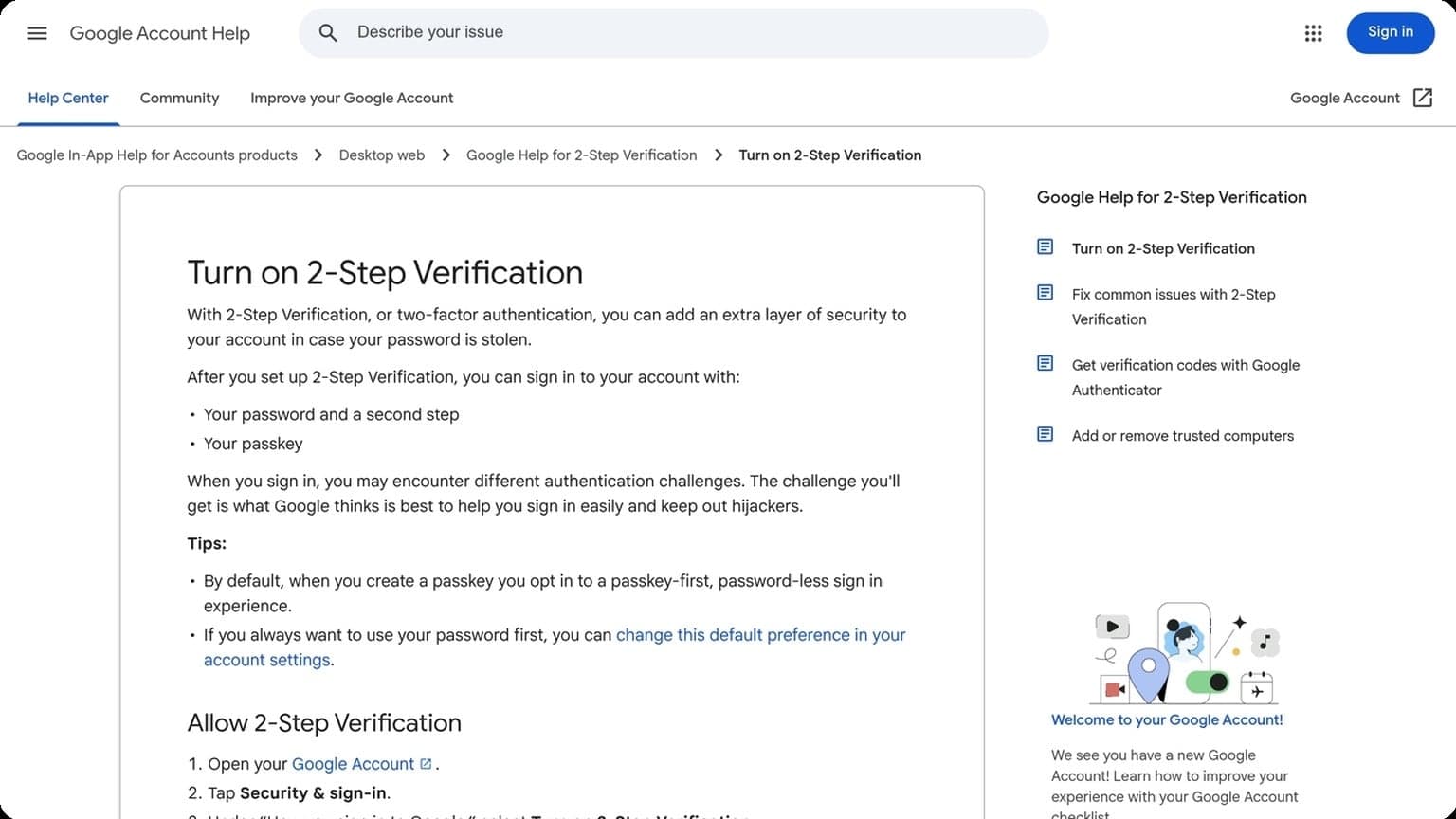
Multi-factor authentication adds a second proof of identity, making stolen passwords far less useful. For account fleets, MFA is one of the highest-value controls because it blocks many common takeover attempts, especially when credentials are reused or phished.
Prefer app-based authenticators or hardware keys over SMS where possible. Google’s guidance on stronger authentication is a useful benchmark: Google Account Help. If your team shares access across devices, document recovery steps so security does not slow operations.
Policies
Policies turn access control into a repeatable process. They define who can request access, how approvals work, when credentials rotate, and what happens when someone leaves a project. Without written rules, even good RBAC and MFA setups drift over time.
Keep policies short, enforceable, and easy to audit. A simple structure works best:
- Request access through a tracked ticket
- Approve based on role and business need
- Review access on a fixed schedule
- Remove permissions immediately when no longer needed
Audit Trails
Audit trails give multi-account teams a clear record of what happened, who did it, and when. For operators managing several profiles, that visibility is essential for spotting mistakes early, resolving disputes, and proving compliance when access is shared across a team.
Logs
Logs should capture the actions that matter most: logins, profile changes, proxy swaps, device fingerprint edits, and permission updates. In practice, the best logs are searchable, time-stamped, and tied to a specific user or account so you can trace activity without digging through exports.
A strong logging setup also helps reduce risk. If a profile suddenly behaves differently, logs make it easier to identify whether the cause was a new team member, a configuration change, or an external access issue.
History
History views are useful when you need context, not just raw events. They show the sequence of changes over time, which is especially important for shared workspaces where multiple operators may touch the same account.
| Audit view | Best for | Why it matters |
|---|---|---|
| Logs | Instant incident review | Fast, event-level detail |
| History | Change tracking | Shows how a profile evolved |
| Alerts | Real-time response | Flags unusual activity early |
For teams running at scale, history also supports cleaner handoffs. New operators can review prior actions before making changes, which lowers the chance of conflicting edits or duplicated work.
Alerts
Alerts turn audit data into action. Instead of checking reports manually, teams can be notified when a profile is accessed from a new location, a critical setting changes, or an unusual pattern appears. That shortens response time and helps prevent account lockouts.
- New login from an unrecognized device
- Proxy or IP change on a protected profile
- Permission changes in a shared team account
For practical multi-account management, the goal is simple: combine logs, history, and alerts so your team can review activity, understand context, and react before small issues become operational problems. If you want a browser setup built for that workflow, GoUndetected is a smart place to start.
Profile Sharing
Profile sharing can streamline team workflows, but only if access is controlled and each person’s activity stays clearly separated. In multi-account operations, the goal is simple: share what needs to be shared, without creating overlap that can trigger platform checks or confuse ownership.
Sync
Sync is useful when a team needs the same profile settings, bookmarks, extensions, or session structure across multiple operators. In practice, it reduces setup time and helps keep campaigns consistent, especially when accounts are handed off between support, media buying, or marketplace teams.
To keep sync efficient, define exactly what should be replicated and what should stay local. A practical sharing model usually includes:
- Browser settings and fingerprints
- Proxy assignment and login notes
- Tags, folders, and task ownership
- Limited access based on role
Isolation
Sharing should never mean merging identities. Each profile must preserve its own cookies, local storage, and network context so one user’s actions do not affect another account. That separation is the core benefit of an antidetect browser like GoUndetected.io.
Strong isolation also lowers operational risk. If a shared profile is edited by multiple people, the process should still keep browser data compartmentalized and auditable. A simple rule of thumb is: collaborate on the profile, not inside the account itself.
Limits
Profile sharing works best with clear governance. Set limits on who can view, edit, duplicate, or export a profile, and avoid broad permissions that make it hard to trace mistakes. For larger teams, a compact access matrix is easier to manage than informal handoffs.
| Access level | Best for | Typical permission |
|---|---|---|
| Viewer | Auditors, clients | Read-only access |
| Editor | Operators | Update settings and notes |
| Admin | Team leads | Share, revoke, and manage profiles |
For platform-specific rules, always check the relevant help center, such as Google Support or Instagram Help Center, before assigning shared workflows.
Security Checks
Security checks are the fastest way to spot account risk before it turns into a lockout. For multi-account teams, the goal is simple: verify that every profile looks consistent, trusted, and authorized before you scale activity.
Reviews
Start with a review of account health signals: login history, device consistency, email verification, and recent activity spikes. A clean profile should show stable behavior over time, while sudden changes in IP, browser fingerprint, or geographic pattern can trigger extra scrutiny.
Use a repeatable checklist so every account is judged the same way. That makes it easier to catch weak points early and prioritize the accounts that need a reset, proxy change, or slower usage ramp.
- Check recent sign-ins and location changes.
- Confirm recovery email and phone access.
- Scan for unusual password resets or alerts.
- Compare browser, proxy, and device consistency.
Revokes
Revokes are about removing stale access before it becomes a liability. If a team member leaves, a token expires, or a connected app is no longer needed, revoke it immediately to reduce exposure and avoid unexpected actions on the account.
This is especially important in shared workflows where multiple operators touch the same environment. A simple access audit every week can prevent abandoned permissions from becoming a security gap.
| Item | Why it matters | Action |
|---|---|---|
| Old sessions | Can be hijacked | Sign out everywhere |
| Connected apps | May retain API access | Revoke unused apps |
| Shared credentials | Hard to audit | Rotate and replace |
Approvals
Approvals should be treated as the final gate before an account is used for campaigns, outreach, or automation. Require a second review for new profiles, risky logins, or any account that has just passed a security change.
Keep the approval process lightweight but strict: one owner validates the setup, another confirms the risk signals, and only then does the account go live. For platform-specific requirements, always cross-check the official help center, such as Google Support or Instagram Help.
Vendor Evaluation
Before you commit to any antidetect browser, evaluate the vendor the same way you would a production tool: by how quickly you can test it, how clearly it explains its product, and how well it supports real workflows. A polished UI matters, but for multi-account operations, the difference usually shows up in onboarding speed, documentation quality, and response times when something breaks.
Demo
A good demo should let you validate the core promise without forcing a long sales cycle. Look for a guided walkthrough of profile creation, fingerprint controls, proxy setup, and team sharing so you can judge whether the workflow fits your stack.
Use the demo to test practical questions, not just features:
- How fast can a new user create and launch a profile?
- Are browser fingerprints easy to customize at scale?
- Does the interface support repeatable team processes?
Docs
Strong documentation is a reliability signal. The best vendors explain setup, troubleshooting, and best practices in plain language, with screenshots or short examples that reduce guesswork. If the docs are thin, you will pay for it later in support tickets and slower onboarding.
Check whether the knowledge base covers the full lifecycle, from first launch to advanced account management. For example, GoUndetected users should expect clear guidance on profiles, proxies, and session handling, ideally with links to official help resources like Google Support when platform-specific issues are involved.
| Vendor Signal | What to Look For |
|---|---|
| Demo | Fast access, realistic workflows, no hidden setup friction |
| Docs | Step-by-step guides, troubleshooting, and searchable articles |
| Support | Responsive replies, clear escalation path, and technical depth |
Support
Support quality often decides whether a tool is usable at scale. Prioritize vendors that offer fast first responses, knowledgeable answers, and support channels that match your team’s urgency, whether that is chat, email, or a ticket system.
Before buying, verify three things: response-time expectations, coverage hours, and whether support helps with configuration issues rather than only billing. If a vendor can solve proxy, profile, or sync problems quickly, it is usually a safer long-term choice for multi-account operations.
Need more hands-on playbooks? Read How to schedule Instagram posts, Anti-Detection Browser vs Virtual Machine: Which Isolation Method Fits High-Risk Account Workflows?, and Anti-Detection Browser Comparison for QA and Ad Verification Teams: Testing Geo-Targeting, Cookies, and Device Fingerprints.

Browse Undetected. Stay Private.
Unique browser fingerprints, built-in proxy support, and anti-detection technology. Try GoUndetected free for 7 days.
Available for macOS and Windows · No credit card required