
How to Evaluate Anti-Detection Tools for Ad Verification Workflows: A Practical Feature and Risk Comparison
Learn how to compare anti-detection tools for ad verification workflows using practical criteria, core features, accuracy checks, and risk factors to choose the right fit.

Choosing the right stack for ad verification is no longer just about speed or convenience. For marketers, affiliates, e-commerce teams, and agencies, the real challenge is figuring out how to evaluate anti-detection tools for ad verification workflows: a practical feature and risk comparison that balances access, accuracy, and account safety. The wrong choice can distort test results, trigger platform flags, or waste hours on cleanup.
That’s why evaluation needs to go beyond surface-level claims like “undetectable” or “fully isolated.” In practice, ad verification depends on consistent browser fingerprints, reliable profile separation, geo-flexibility, and enough operational control to let teams inspect campaigns without creating new risk. If you’re verifying placements across multiple platforms or markets, the tool has to support repeatable workflows, not just one-off browsing.
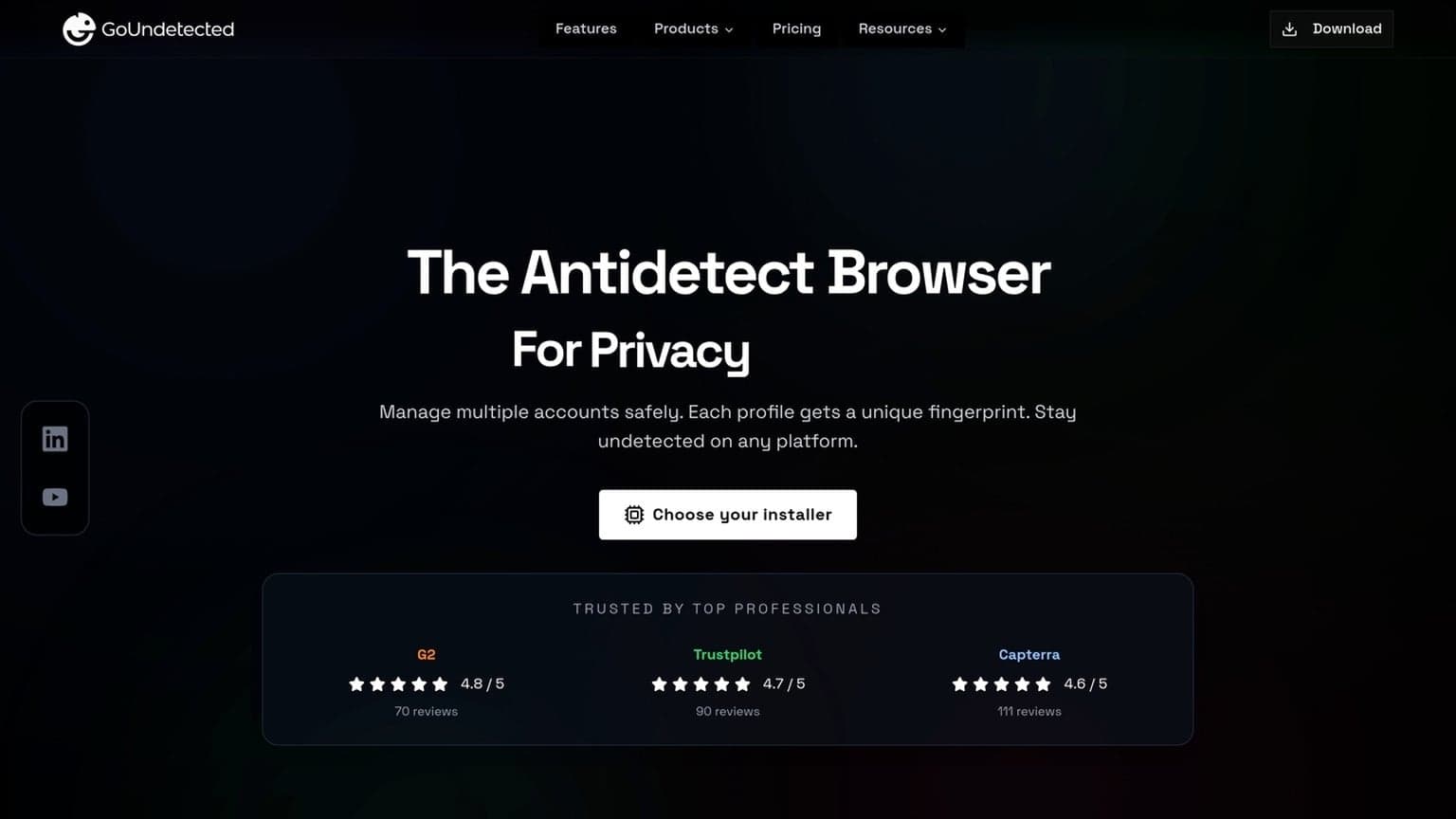
In this guide, we’ll break down the features that matter most, the risks that are easy to overlook, and the trade-offs between different anti-detection approaches. We’ll also show where GoUndetected.io fits naturally as a practical option for teams that need clean profile management and a straightforward way to work across accounts without adding unnecessary complexity. The goal is to help you choose a setup that is not only secure, but also efficient enough to use every day without slowing down verification cycles or creating avoidable maintenance work.
If you’re already comparing tools for broader operational use, you may also find our guides on team onboarding, permissions, and audit trails and profile sharing and access control useful as companion reads.
Evaluation Criteria
To compare antidetect browsers fairly, focus on what affects real account safety and daily operations. A strong tool should reduce fingerprint overlap, support stable team workflows, and give you enough visibility to spot issues before they become bans or verification loops. In ad verification, that means looking at both the technical layer and the operational layer: how the browser behaves, how the team uses it, and how easily you can reproduce a clean test environment across campaigns, regions, and devices.
Detection Evasion
Start with the browser’s core fingerprint controls. Look for reliable spoofing of canvas, WebGL, fonts, timezone, WebRTC, and hardware signals, plus isolated profiles that do not leak cross-session data. If a platform can’t keep profiles consistent over time, it may look suspicious even when the initial setup seems clean.
Also check how often the vendor updates against modern detection methods. For practical validation, review independent testing notes and compare the browser with your proxy stack and account type. Useful signals include:
- Stable fingerprint persistence across sessions
- Low profile collision risk at scale
- Proxy compatibility without DNS or WebRTC leaks
For ad verification specifically, consistency matters more than aggressive randomization. A profile that changes too much between launches can be just as risky as one that is too generic. The best tools let you keep a realistic identity while still separating accounts cleanly enough to avoid cross-contamination.
Workflow Fit
Detection protection is only useful if the workflow stays efficient. Evaluate profile creation speed, import/export options, tagging, session notes, and whether your team can separate client, region, or funnel-based accounts cleanly. For agencies and operators managing many identities, small friction points quickly become operational bottlenecks.
Compare the browser against your current stack and use case:
| Need | What to check | Why it matters |
|---|---|---|
| Solo operator | Fast profile launch, simple UI | Less setup time |
| Team use | Roles, sharing, audit trails | Safer collaboration |
| Scale | Bulk actions, API, templates | Higher throughput |
It also helps to test whether the browser fits your daily rhythm. If your team needs to verify ads across multiple geos, the ideal workflow should let you move from profile to profile without reconfiguring every setting manually. That kind of repeatability is what keeps verification fast and reduces human error.
Reporting Depth
Good reporting helps you understand why an account failed, not just that it failed. Look for logs on profile changes, proxy status, launch errors, and device consistency so you can trace problems to a specific variable. This is especially useful when testing new proxy providers or onboarding new team members.
Prioritize tools that make review easy and actionable. The best reporting should let you:
- Identify which profile or proxy triggered the issue
- Compare behavior across accounts and campaigns
- Document fixes for repeatable workflows
When reporting is clear, teams can move from reactive troubleshooting to proactive optimization. That matters in ad verification because a small issue, like a proxy mismatch or a stale session, can distort results across multiple checks before anyone notices.
Core Features
Core features are what make an antidetect browser practical for day-to-day multi-account work. GoUndetected.io is built to reduce fingerprint overlap, keep traffic routing consistent, and let teams control sessions without constant re-logins or accidental cross-account contamination. For ad verification, those features support cleaner testing, more reliable comparisons, and less time spent recovering from avoidable account friction.
Browser Masking
Browser masking helps each profile present a distinct, stable device fingerprint. That means settings like user agent, canvas, WebGL, timezone, and language can be aligned so one account does not look like a clone of another. For operators managing marketplaces, ad accounts, or social profiles, consistency matters more than novelty: a profile should look the same every time it opens.
In practice, strong masking is less about “hiding everything” and more about matching realistic combinations. A good setup avoids mismatched signals that trigger risk checks, such as a US locale paired with a conflicting timezone or screen profile.
Proxy Support
Proxy support is the routing layer that keeps each profile’s network identity separated. GoUndetected works best when every account is paired with its own proxy, so IP reputation, geolocation, and browsing history stay isolated.
| Proxy type | Best use | Notes |
|---|---|---|
| Residential | High-trust accounts | Closest to real-user traffic |
| Datacenter | Testing and low-risk tasks | Fast, but easier to flag |
| Mobile | Geo-sensitive workflows | Strong reputation, higher cost |
For verification work, proxy quality should be judged by stability as much as by location. If the IP rotates unexpectedly or the latency is inconsistent, your results can become unreliable even when the browser fingerprint is configured correctly.
Session Control
Session control keeps work organized and reduces mistakes. Instead of relying on browser memory, you can open, pause, and return to profiles with cookies, local storage, and login state preserved across sessions. That saves time and lowers the chance of triggering verification loops.
- Separate profiles for each account or client
- Persistent cookies and login sessions
- Controlled switching between workflows
- Cleaner handoff for teams and virtual assistants
For a deeper look at setup best practices, see the GoUndetected.io platform overview.
Verification Accuracy
Verification accuracy is the difference between a browser that merely opens pages and one that consistently passes platform checks. For multi-account workflows, the goal is not to “hide” activity, but to present a stable, coherent profile across every signal a site evaluates. That includes the browser itself, the network layer, and the way the session behaves over time.
Ad Rendering
Ad networks often validate more than impressions. They compare the rendered creative, load timing, and page context against expected behavior, so mismatches can trigger flags or low-quality classifications. A reliable antidetect setup helps keep rendering consistent across sessions, reducing the chance of broken layouts, missing trackers, or suspicious ad delivery patterns.
Practical checks include:
- consistent user-agent and viewport alignment
- stable canvas, WebGL, and font behavior
- predictable cookie and cache handling
If your verification process includes multiple landing pages or creative variants, test them in the same profile conditions you plan to use in production. That makes it easier to spot whether a problem comes from the ad itself or from the browser environment.
Geo Checks
Geo verification is usually a layered test: IP location, browser language, timezone, and payment or shipping data are compared for consistency. If one signal says “Germany” and another says “US,” many platforms treat the session as high risk. Matching these details is essential for account creation, checkout, and ad preview accuracy.
As Google’s own guidance shows, location-based experiences depend on multiple signals, not just IP alone; see the localized versions documentation. In practice, the strongest setups pair a clean proxy with synchronized locale settings and region-appropriate browser fingerprints.
Device Emulation
Device emulation should mirror a real device profile, not just a screen size. Platforms inspect touch support, hardware concurrency, memory hints, and rendering quirks to distinguish desktop, mobile, and virtualized environments. The more these values align, the less likely a session is to fail verification.
| Signal | Why it matters |
|---|---|
| Screen + viewport | Confirms the device class and layout behavior |
| Touch / pointer events | Supports mobile or hybrid interaction patterns |
| WebGL / canvas output | Helps validate rendering consistency |
For teams testing mobile placements, emulation should be checked against the same ad surfaces your audience actually sees. A browser that looks fine on desktop may still fail when a platform expects mobile-specific interaction patterns or device hints.
Risk Factors
Even strong multi-account workflows can fail if risk signals stack up. The main exposure points are not just what you do, but how consistently your browser, network, and account behavior look to the platform. In practice, most failures come from combinations of small issues rather than one obvious mistake.
Fingerprints
Browser fingerprints can expose device-level patterns such as canvas output, WebGL, fonts, timezone, language, and screen resolution. If multiple accounts share the same or conflicting fingerprint traits, platforms can link them faster than many users expect.
To reduce this risk, keep each profile internally consistent and avoid sudden changes across sessions. A stable setup matters more than a “perfect” one, because frequent shifts in hardware-like signals often look more suspicious than a normal device.
IP Reputation
Your IP address is often the first trust check. Datacenter ranges, recycled proxies, or IPs tied to abuse can trigger verification, rate limits, or outright blocks before account activity is even evaluated.
- Use clean residential or mobile IPs when account trust is critical.
- Match IP geography to the account’s expected location.
- Avoid sharing one IP across unrelated high-risk accounts.
A useful rule: if the network looks unstable, the account looks unstable too. For proxy selection and setup guidance, see GoUndetected.io.
Compliance
Technical stealth does not replace policy compliance. Many platforms prohibit misleading identity signals, automated abuse, or account farming, and enforcement can include device bans, payment holds, or permanent suspension.
Before scaling, review the platform’s rules and your own operational boundaries. A simple checklist helps:
- Confirm the use case is allowed.
- Document which accounts, regions, and proxies are assigned.
- Keep actions within normal human-like limits.
Compliance also protects your testing data. If an account is flagged for policy reasons, it becomes harder to tell whether the browser setup was weak or the workflow itself was outside acceptable use.

Testing Process
A solid testing process helps you separate a stable multi-account setup from one that will trigger friction later. Before scaling, run controlled checks across devices, proxies, and profiles so you can spot weak points early and keep your workflow consistent. The best results come from testing one variable at a time and recording what changed.
Trial Runs
Start with a small batch of test accounts and a limited number of actions. The goal is not speed; it is to confirm that each profile behaves like a real, independent browser environment before you commit to larger campaigns.
Use the same setup variables you plan to scale: fingerprint settings, proxy type, login flow, and session length. A simple checklist keeps trials repeatable:
- Open each profile on a clean session
- Verify proxy connection and geo match
- Complete login, navigation, and one core task
- Check for captchas, blocks, or unusual prompts
Benchmarking
Benchmarking shows whether your configuration is fast enough and stable enough for daily use. Track load time, page response, and error frequency across the same test route so you can compare results objectively instead of relying on intuition.
| Metric | What to Watch | Good Signal |
|---|---|---|
| Profile launch time | Delay before the browser opens | Consistent and low variance |
| Page load speed | Core pages and dashboards | Stable across profiles |
| Task completion | Login, posting, checkout, or scraping | No repeated interruptions |
Benchmarking is most useful when you compare the same account type under the same conditions. That makes it easier to tell whether a slowdown is caused by the browser, the proxy, or the destination platform.
Logging Review
Logs turn guesswork into evidence. Review browser events, proxy errors, and session anomalies after each run, then group issues by profile, account, or proxy provider to find patterns faster.
For deeper debugging, compare logs with the platform’s own help resources, such as Google Support or Instagram Help Center, when a platform-specific warning appears. If the same error repeats, isolate one variable at a time until the cause is clear.
Final Selection
Choosing the right antidetect browser comes down to more than feature lists. For multi-account workflows, the best option balances predictable pricing, responsive support, and room to scale without constant profile rebuilding or workflow disruption. It should also fit the way your team actually works, so adoption stays smooth after the initial setup.
Cost Value
The strongest value is not the lowest monthly fee, but the lowest operational friction per account. Look for plans that include enough profiles, team access, and automation support to avoid hidden add-ons that raise the real cost.
| Evaluation factor | What to check | Why it matters |
|---|---|---|
| Profile limits | How many browser profiles are included | Affects how many accounts you can run efficiently |
| Team features | Shared access and role control | Reduces duplicate subscriptions and admin overhead |
| Proxy compatibility | Works cleanly with your proxy stack | Prevents wasted spend on unstable setups |
Support Quality
Support quality shows up when something breaks mid-campaign. Fast replies, clear setup guidance, and practical troubleshooting are more valuable than polished marketing language. If you are managing multiple accounts, even a small delay can turn into lost time across the whole workflow.
Before committing, review whether the vendor offers documentation, onboarding help, and a direct support channel. For teams, this matters even more than feature depth. A reliable support process makes it easier to standardize setups and keep accounts consistent.
Scalability
Scalability means the tool can grow with your operations without forcing a migration later. The right platform should handle more profiles, more users, and more workflows while keeping browser fingerprints, session management, and organization stable.
For teams planning to expand, GoUndetected is a practical recommendation because it is built for multi-account management rather than casual browsing. If you want a setup that can grow with your workload, it is worth comparing against your current account volume and future team needs.
- Can you add profiles without redesigning your workflow?
- Does team collaboration stay organized as usage grows?
- Will the browser still perform well at higher account counts?
In the end, the best choice is the one that keeps verification accurate, operations predictable, and risk under control as your workload expands. If those three priorities stay aligned, your ad verification process will be easier to trust and much easier to scale.
Need more hands-on playbooks? Read Growing your LinkedIn page.

Browse Undetected. Stay Private.
Unique browser fingerprints, built-in proxy support, and anti-detection technology. Try GoUndetected free for 7 days.
Available for macOS and Windows · No credit card required